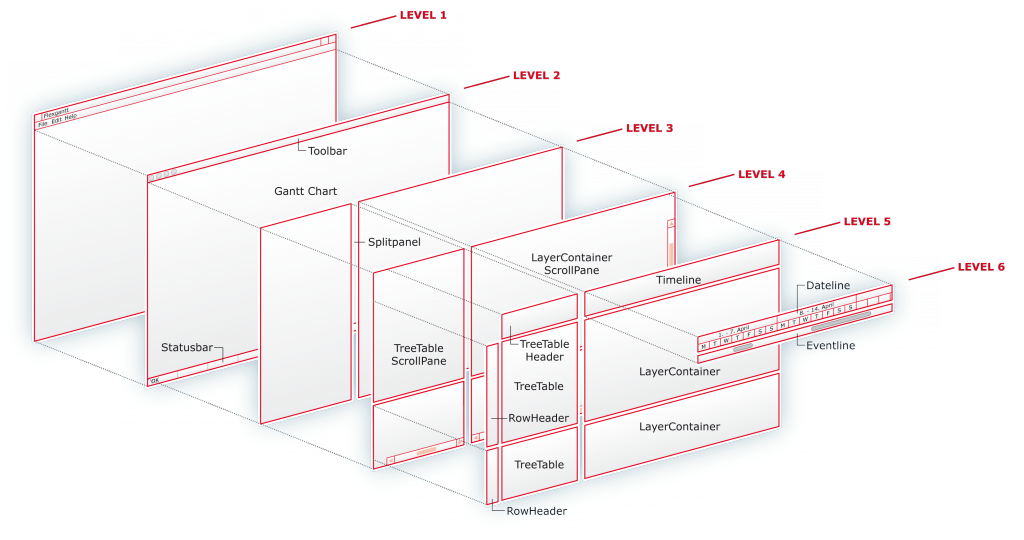
FlexGantt is the most advanced Swing-based Gantt charting framework currently available for Java. It uses a very high abstraction level, which allows it to be applied in various and often very different domains such as ERP systems, production planning and scheduling applications, manufacturing execution systems or project portfolio management applications.
FlexGantt follows the same MVC approach that Swing is using. Several different models are used for various purposes. A calendar model keeps track of holidays and weekends. A paging model supports the user in loading different planning horizons, a bookmark model stores the application- and user-defined bookmarks.
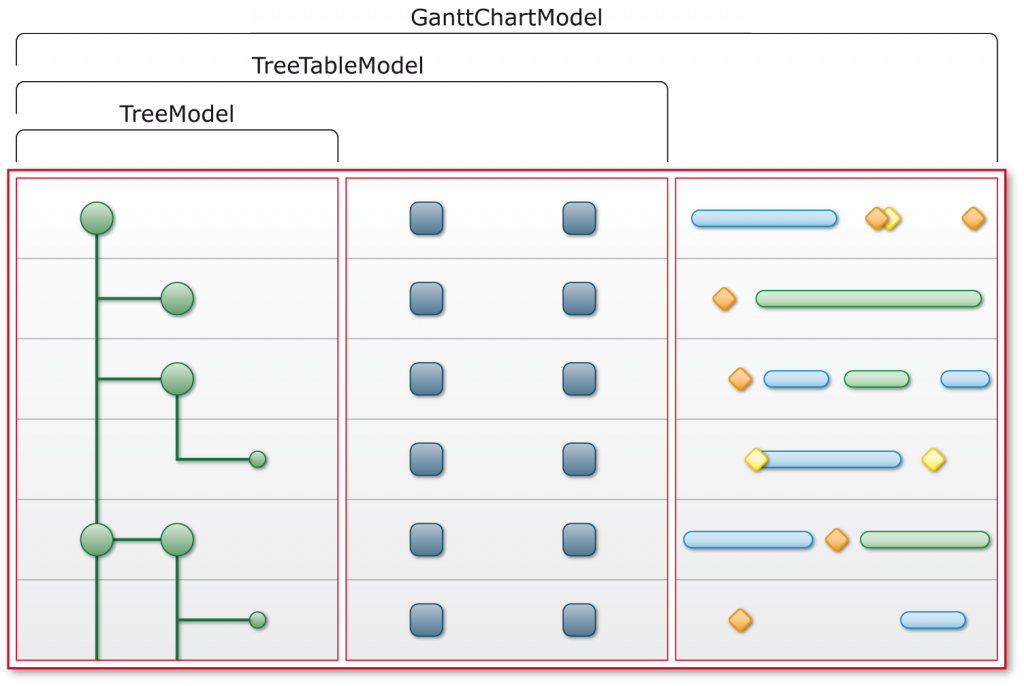
The primary model — the one that feeds the Gantt chart component with data — is the Gantt chart model. It is an extension of a tree table model so that it can populate the left-hand side of the Gantt chart with data (the left-hand side is a tree table). It also returns so-called timeline objects that are displayed on the right-hand side underneath the timeline. Timeline objects represent activities, tasks, events, milestones — pretty much anything that can be placed on a timeline because it can be associated with a time point or a time span.
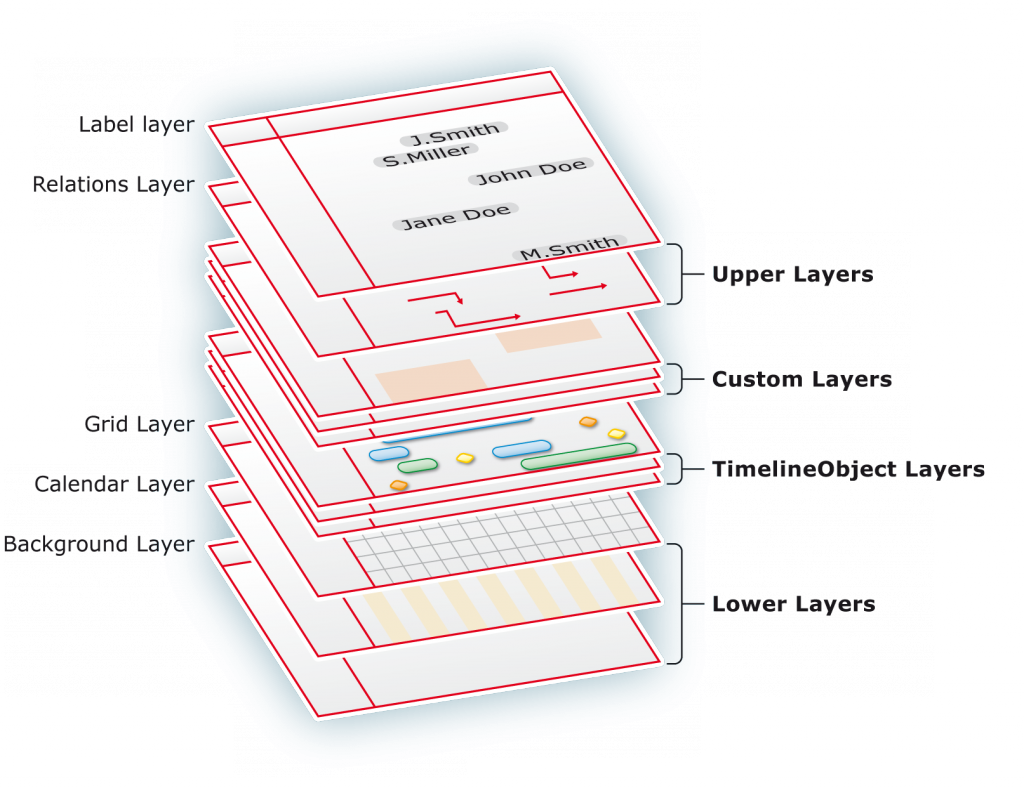
FlexGantt uses a very unique layering approach that is known from graphics and mapping applications. Each Gantt chart consists of a set of system layers, which provide the core functionality (e.g. drawing vertical grid lines) and a set of layers dedicated to rendering timeline objects (activities, events, milestones, …).
Applications can add as many timeline object layers as they like, allowing them to easily group objects and show or hide them all at once. Layers also support transparency so that overlapping timeline objects can be easily identified.
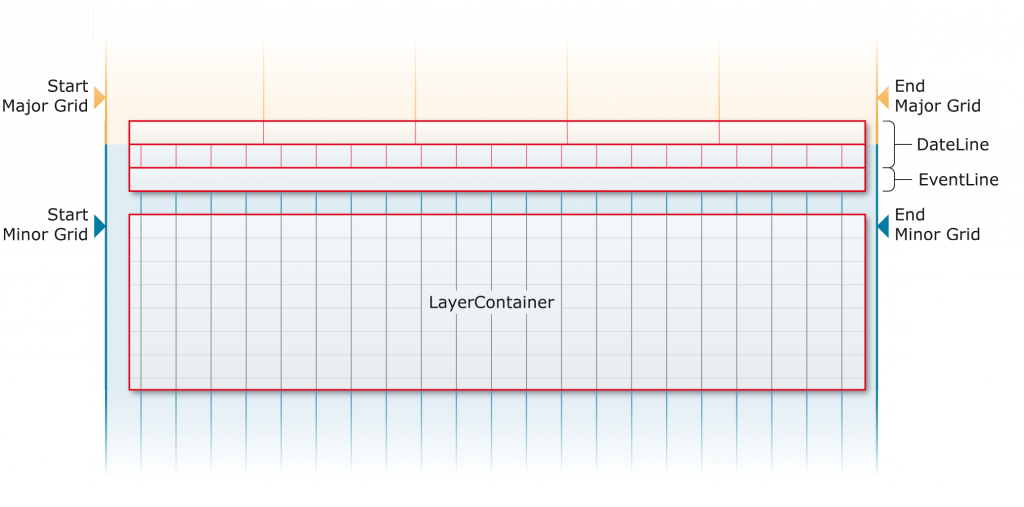
Each application has its own requirements for the timeline. Some require the week of the year to be shown next to the date, others want to show the number of the day in the year (for example 'day 241'). The timeline has been designed with flexibility in mind.
Its model can be replaced, its renderers can be replaced — even the entire timeline can be substituted with a custom subclass, giving you full control over how time is presented to your users.
A feature required by almost any planning and scheduling application is the ability to keep the data of two different models — or two different sections of the same model — in sync while scrolling horizontally.
The FlexGantt framework includes a Dual Gantt Chart that is capable of doing exactly that. The user can split or unsplit the Gantt chart at any time. A horizontal divider can be used to resize the upper and lower part. Timeline objects can be dragged from one part to the other.
Timeline objects can be dragged and resized horizontally and dragged vertically. An invisible grid can be enabled during these drag & drop operations so that a timeline object can be more easily placed at a specific time.
The grid gets controlled by a policy, which means that any kind of grid can be implemented. The default grid policy can be configured to make timeline objects snap to anything from millennium, centuries, decades, years, months, weeks, days, all the way down to milliseconds.
Divide the timeline horizon into several pages / time spans so data gets broken into smaller chunks. The paging model manages individual pages and can be queried for the current, previous, next, first and last page. A dedicated UI control lets users switch between pages.
Popups that appear when the mouse hovers over a timeline bar can display a wealth of additional information. They are fully customizable — different renderers can be mapped to different popup object types, and objects are looked up from a specialized popup policy.
Timeline objects often have constraints between them — "start after", "finish before", "same start", "same end". FlexGantt visualizes these by drawing lines between them. Custom relationship renderers support any color or line style.
Policies are small, stateless decision makers that control program flow and return commands for data modification. They integrate with a command stack supporting full undo and redo, enabling tailored behaviour for any scheduling domain.
Renderers are available for tree table cells, column headers, popups, dateline models, timeline objects, and eventline objects. Editors exist for tree table cells and timeline objects, displayed in a transparent overlay window.
A small but powerful command framework supports editing operations that can be undone and redone. Commands run in their own thread to keep the UI responsive. Sub-progress monitors handle compound commands, and existing command infrastructures can be reused.
FlexGantt has been designed from the ground up to support lazy loading. Tree table expansion events fire before the tree expands so child nodes can be loaded on demand. The paging model provides additional infrastructure for loading large datasets efficiently.
The multiline feature enables a Gantt chart to display timeline objects within the same row stacked above and below each other. Objects that would otherwise overlap are displayed cleanly without any collision.
Download the FlexGantt distribution and introductory PDF guides.